
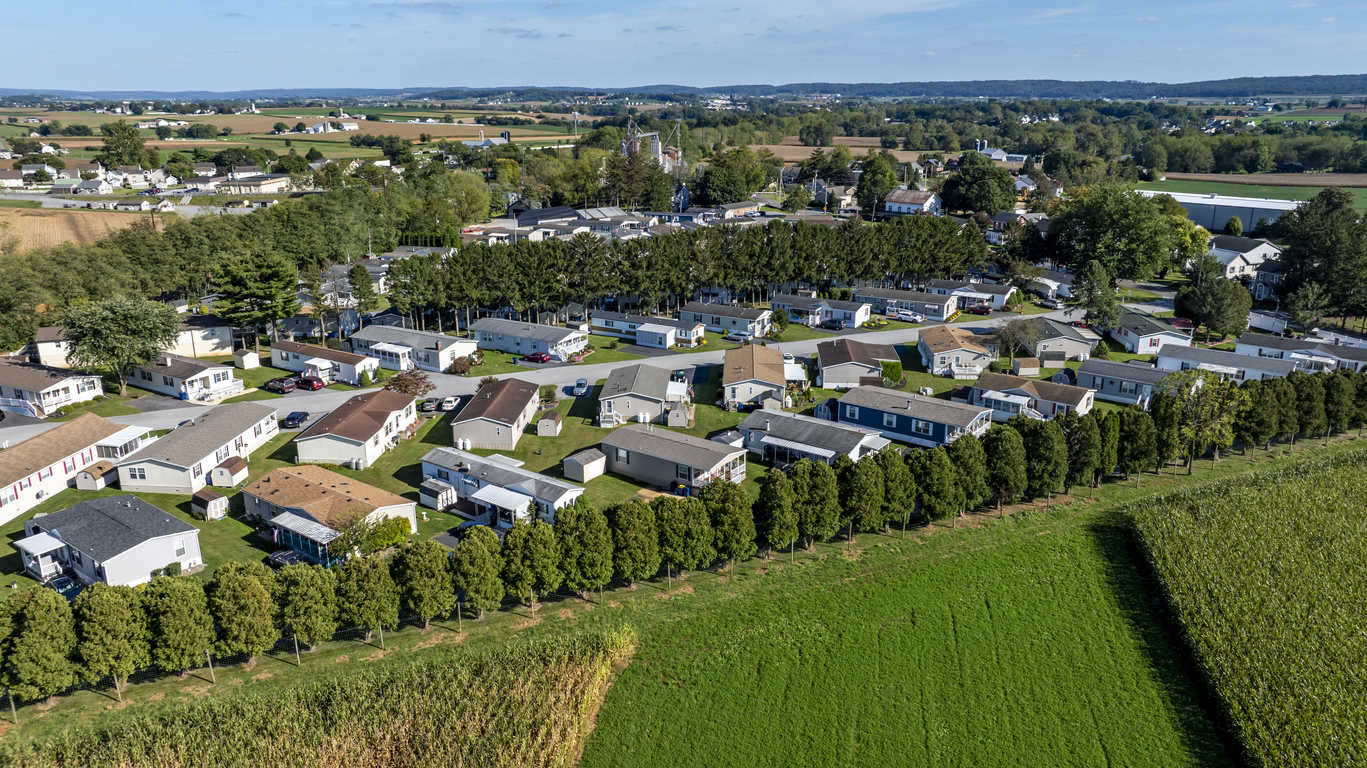
Manufactured Home Communities
Understand the requirements of this profession to be a credential holder in WI.
Credential Statute: Wis. Stat. Sec 101.91
Credential Code: Chapter SPS 326
Disclaimer: Please review WI statute for full professional requirements.
Overview
This page contains all information required for the Manufactured Home Communities credential. Each way to apply has a special subsite denoting specific requirements. Renewal information, forms, and legal information can be found on this page.
Individual / Organization Account Information
There are two types of accounts in LicensE, one for individuals, and another for organization licenses. If you hold or plan to apply for both individual and organization licenses you will need a separate account for each.
Application Methods
Licensure by New Licensure
An application to apply for a new license.
Within this application method is the option for a Newly Licensed Community and for a Change in Ownership. The former is for when a community that has never had a permit is applying for a permit. The latter is for when a community that a permit has has changed operators.
Reinstatement After 2 Years
Re-instate your expired license beyond the Renewal window.
Renewal and Continuing Education Information
Renewal Information
For a list of renewal dates please see: Renewal Date Page
To Renew:
You will be able to renew your credential approximately 4 weeks prior to your license expiring. You will receive an email to the email address on file with instructions on how to renew.
Online Log In: Go to LicensE
Select "Renew My License"
Complete the application
Upload any required documents
Submit payment
See fees list here: Credential Fees
a. Tax ID verification
You will need to upload a document that verifies the manufactured home community operator’s tax ID number. This would be either a Federal Employer Identification Number (FEIN) or a Social Security Number (SSN). The manufactured home community operator is the individual, firm, trust, partnership, association, or corporation engaged in the business of owning or managing a manufactured home community.
The renewal of a manufactured home installer license is contingent upon the manufactured home installer obtaining at least 12 hours of acceptable continuing education prior to the expiration date of the license.
After completing your continuing education course, your course provider is responsible for uploading verification that you have done so to our system
Sewer and Water Regulation in Manufactured Home Communities
The Department of Safety and Professional Services (Department) is responsible for regulating water and sewer service at manufactured home parks. SPS 326 of the Wisconsin Administrative Code sets forth the standards for water and sewer service in manufactured home communities. The standards address concerns regarding water quality, distribution systems, and the reasonableness of water and sewer rates. Chapter SPS 326 also provides a process for occupants of manufactured home communities to dispute issues related to billing such as disconnection of service, deferred payment agreements, and deposits.
See Your Bill of Rights for Water and Sewer Service Provided in a Manufactured Home Community document for more information.
If you are an occupant of a manufactured home community and wish to file a complaint regarding the provision of your water and/or sewer service, you may submit a complaint online.
The Department does not establish the water and sewer rates charged to occupants of manufactured home communities. However, the Department will investigate the reasonableness of these rates upon complaint.
When a manufactured home community operator owns the water supply facilities within the park, SPS 326 states that the charge to a manufactured home community occupant may not exceed the average amount charged for a similar level of water service furnished by Wisconsin Class D water public utilities. A Class D water utility serves fewer than 1,000 customers. The charge for sewer service may not exceed 2.5 times the maximum charge for water service as calculated below.
In accordance with the average 2009 Wisconsin Class D public water utility rates, a manufactured home community that owns the water supply facilities in the community may not charge more than a $24.81 fixed quarterly charge ($8.27 per month) in addition to a volume rate dependent on usage. Applying this benchmark if you live in a manufactured home community with a well and septic system within the community, and you use 4,000 gallons of water in one month, the most you may be billed for the water is a $8.27 fixed charge plus an $11.03 volume charge (based on a rate of $2.758 per 1000 gallons x 4) for a total charge of $19.30. Since you may not be billed more than 2.5 times the water bill for sewer service, the most you may be billed for sewer service is $48.25 ($19.30 x 2.5). In this example, your combined water and sewer bill may not exceed $67.55/month.
Please note that manufactured home community operators may establish water and sewer rates in excess of these amounts if they provide written documentation to the Department which demonstrates that higher charges are necessary to meet reasonable costs of operation.
Questions regarding this computation or establishing rates for water and sewer service when the manufactured home community buys water from a utility and resells it to the occupants of the park, can be directed to the Department’s HUD/UDC consultants via email to dspssbudctech@wisconsin.gov.
Your Bill of Rights for Water and Sewer Services Provided in a Mobile Home Park
What is on your bill?
All water and sewer bills shall include:
1. Service address
2. Current meter reading and date if service is metered
3. Prior meter reading and date if service is metered
4. Number of units consumed if service is metered
5. Clear itemization of the amounts included in the bill for the present billing period
6. Any unpaid balance from a previous billing period
7. Late payment charges
Late Payment Charges
A mobile home park operator or mobile home park contractor can add a late payment charge if your payment has not been received within 20 days after issuance of the bill. The late payment charge shall not exceed one percent of the unpaid balance per month.
A Deposit May Be Required
You may be required to pay a deposit as a condition of new or continued service. The deposit may not exceed $40.00. You may pay your deposit in up to three equal monthly installments. Your deposit will earn simple interest at the rate of five percent per year. Your deposit must be refunded within 21 days of the termination of the rental agreement. If your bill is not paid, it may be deducted from the deposit.
Installment Plans for Overdue Bills
You may enter into a payment plan if you cannot pay your bill in full. The payment plan cannot extend past the termination date of your lease. You will be asked to make a “reasonable down payment” and “reasonable installments.” A reasonable amount is based on:
The amount of your overdue bill.
How long your bill has been overdue.
Your payment history.
Reasons your bill is overdue.
Other important factors.
Your mobile home park operator or mobile home park contractor may ask you to sign an installment agreement. Do not sign it unless you agree to the terms. You have a right to negotiate an installment agreement. If you do not pay the installments as agreed, your service may be shut off. Also if you do not pay, the mobile home park operator or mobile home park contractor does not have to negotiate another installment agreement before it shuts off your service. It is up to you to let the mobile home park operator or mobile home park contractor know about important reasons to negotiate a new plan.
If you and the mobile home park operator or mobile home park contractor cannot agree on an installment plan, you can file a dispute with the Department of Safety and Professional Services (Department). While the Department investigates and attempts to resolve your dispute, your service should not be shut off. However, you must pay all bills not in dispute.
Service Shut-Offs
A mobile home park operator or mobile home park contractor must either send, or personally serve you with, a notice before your service is shut off. This notice must include:
The date of the notice.
The reason for the shut-off.
The date when service can be shut off.
How to contact the mobile home park operator or mobile home park contractor about the shutoff.
The notice must be sent to your home or mailing address at least 8 days before the shut-off. If the billing address is different from the service address, notice shall be posted at the service address not less than 5 days before the service is to be shut off. The mobile home park operator or mobile home park contractor shall also make a reasonable effort to contact you by telephone or in person before service is shut off.
If service is not shut off within 15 days after the notice is mailed, the mobile home park operator or mobile home park contractor must leave a new notice at the site not less than 24 hours nor more than 48 hours prior to the shut-off.
A mobile home park operator or mobile home park contractor may shut off service without notice where a dangerous condition exists, for as long as it exists.
Service may be shut off with a written 24-hour notice for nonpayment of a bill covering theft of water.
Your service cannot be shut off if:
A heat advisory or warning has been declared for a geographic area, which includes the mobile home park.
For the purposes of eviction.
Your service can be shut off if:
You fail to pay your bill.
You fail to pay installments on your bill as you agreed.
You fail to post required deposits.
You refuse to permit the mobile home park operator or mobile home park contractor access to the meter.
Medical Problems
For extra time to make payment arrangements, the mobile home park operator or mobile home park contractor will delay service shut off up to 21 days if there is a medical problem or other emergency. The mobile home park operator or mobile home park contractor may ask for a letter regarding the illness from your doctor, a public health official, a social service official, the police, or sheriff. The letter must specify the medical illness, the need for water, and the expected duration of the emergency. It is also possible to extend the 21-day delay.
Have a Dispute?
First, contact your mobile home park operator or mobile home park contractor to solve the problem. If the mobile home park operator or mobile home park contractor cannot solve your problem, submit a complaint online to the Department. While the Department reviews your dispute, your service should not be shut off. However, you must still promptly pay any charge not in dispute. After the Department completes its review, a staff member will contact you and your mobile home park operator or mobile home park contractor and will attempt to find an agreement that is acceptable to both parties.
Trades FAQ Information
Do you have a question as it relates to the Trades Professions?
Review our FAQ List here to get your questions answered.
Payment Information
You can pay all fees associated with your credential by going to LicensE.
You will be asked to pay automatically at the end of your application.
You can pay with a credit or debit card, or via an automated clearing house or (ACH) payment.
Please note, using an ACH payment can increase credential processing times by 3-5 business days.
You can view a list of fees for initial credentials and renewing your credential here:
Predetermination & Legal Information
The term credential is used universally to mean license, certification, permit, registration, enrollment and authorization.
Applicants with convictions, who do not already have a credential, may apply for a predetermination. Predetermination is an optional, first step that happens before you would submit an initial credential application while meeting all credentialing requirements (e.g., education, training, examination, etc.)
To apply for a predetermination, log into LicensE.
If you have not created an account, you will first need to register.
After creating your account, log in, and select “Apply for a Pre-Determination.”
Select the type of credential you would like to apply for.
Follow all application instructions and upload all required documents.
If the Department decides your record would not disqualify you, you can then apply for the actual credential and meet all the typical requirements like education, training, and exams.
You may skip the predetermination process and submit your initial application for your credential. You must complete all steps to meet the credentialing requirements such as education, training, exams, and disclose your conviction record on your application. Convictions and pending charges will be reviewed as part of the application process.
Some applications require review by Department Legal staff.
This can be for a number of reasons, including but not limited to disclosure of convictions or pending charges, professional discipline, malpractice, termination, medical condition, supervised experience and application via reciprocity/endorsement.
Applications that require legal review will require additional processing time.
An application in the status “Legal File Preparation” is with DSPS and under review.
FAQs for conviction and pending charges can be found on the 225X Conviction And Pending Charges FAQ page.
Petition for Variance
An individual may submit a petition for variance to any rule in Wisconsin Administrative Code 305 in accordance with State Statute and Administrative Code.
All petitions for variance will require legal review, and will therefore require additional processing time.
Requirements for Petition of Variance:
Submit a new application for the profession you are trying to obtain
Required fee as outlined in SPS 305.02 (4)
This is in addition to the application and credential fee
This will be requested via payment form
Documentation
Clear and concise written statement of the specific provisions of the rule from which the variance is requested along with a specific statement of the procedures and materials to be used if the variance is granted
Any other documentation relevant to the petition
Wisconsin State Statute and Administrative Code
Contact Us
Support Ticket
Submit a support ticket on LicensE and click "request support." Please provide as much detail as possible regarding your concern so we can work to answer your question with a one touch resolution.
Call
(608) 266-2112
(877) 617-1565
Email
dsps@wisconsin.gov
Office Hours
7:45am-4:30pm
Department of Safety and Professional Services
4822 Madison Yards Way
Madison, WI, 53705
Note: The in-person office does not process same day.
LicensE
LicensE at (license.wi.gov) is a self-guided online system where you can manage your professional credential from start to finish.
You will still need to review the requirements for the credential you are applying to. These can be found on the A-Z profession page.
With LicensE you can:
Apply for a credential for the first time, with steps guiding you to upload your application documents, and pay all required fees.
Renew an existing credential when it is time, to keep your credential active.
View or download your credential for your records or verification.
Update your personal information, including your phone number, email, and mailing address
Submit support tickets and receive responses to your email from our staff experts.
Allow third parties to review and upload required documents on your behalf
Check the status of someone's credential using the public LicensE look up.
If you have never held a credential, you will need to create an account the first time you are on LicensE.
To create an account, visit LicensE. You will then select “register for an individual” if you are applying for a license held by an individual, or “register for an organization” if you are applying for a license held by an organization.
If you are not sure if the license you are applying for is an individual or organization license, please visit our A-Z professions page and review the profession page for more information.
When you create an account, please be sure to use an email you will always have access to.
For more information on LicensE, please see link to LicensE "How To" Page.

How To Guide
This page outlines LicensE portal features, including how to register, log in, complete an application, track application status, and review approved licenses.
Apply
Go to license.wi.gov to apply for a credential or license.
Application Status Look Up
Click here to review the status of your credential.